


 Canada
 Meilleure vente
 Toutes les imprimantes
 Tous les assistants personnels (PDA)
 Toutes les étiquettes thermiques
A thermal label printer is a printer that uses heat to create text, barcodes, graphics, and other information on specially designed labels. Unlike inkjet or laser printers, most direct thermal label printers do not require ink cartridges, toner, or ribbons. Instead, a thermal print head applies heat to heat-sensitive label material to create the printed image.
Thermal label printers are widely used for shipping labels, product labels, barcode labels, inventory tags, retail labels, and other business applications. Their combination of fast printing, low maintenance, compact design, and reliable barcode output makes them particularly useful for e-commerce sellers, retailers, warehouses, and small businesses.
But how does a thermal label printer actually work, and what should you look for when choosing one?
What Is a Thermal Label Printer?
A thermal label printer is a specialized printing device designed to print directly onto label media using heat rather than conventional liquid ink or toner.
The most common type used for shipping and product labels is direct thermal printing. The printer uses a thermal print head containing many small heating elements. When the print head contacts specially coated thermal labels, selected areas of the coating react to heat and become darker, forming text, images, barcodes, or other printed content.
This printing method eliminates the need for ink cartridges and toner. As a result, thermal label printers are often easier to maintain and well suited to environments where businesses print labels continuously. A typical thermal label printing workflow looks like this:
Create or receive label data → Send the design to the printer → Feed the label → Apply heat through the print head → Produce the finished label
MUNBYN offers a range of thermal printers designed for applications including shipping, ecommerce, product identification, and everyday business labeling.
How Does a Thermal Label Printer Work?
The basic principle behind a direct thermal label printer is relatively simple: the print head uses controlled heat to activate the heat-sensitive coating on the label. Here is what happens during printing.
1. The Printer Receives the Label Data
First, the printer receives information about what you want to print. This may include an address, barcode, QR code, product name, SKU, price, logo, or other label information.
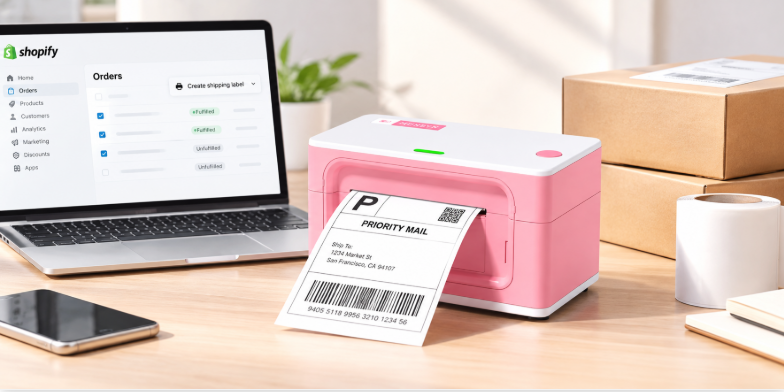
Depending on the printer, the data can be sent through USB, Bluetooth, Wi-Fi, or another supported connection. For e-commerce sellers, the label may be generated automatically by a shipping or marketplace platform such as UPS, USPS, FedEx, Etsy, eBay, or Shopify.
2. The Label Moves Through the Printer
The printer's feed mechanism moves the label material through the printing path at a controlled speed. Correct label alignment is important because the printer needs to know where one label ends and the next begins. Modern thermal label printers may use automatic label detection or calibration to improve positioning and reduce wasted labels.
3. The Thermal Print Head Applies Heat
The most important component is the thermal print head. It contains a large number of microscopic heating elements. During printing, the printer selectively activates these elements according to the image or text being printed.
When the heated elements contact direct thermal media, the heat-sensitive coating changes color. By controlling which elements heat up and when, the printer creates individual dots that form letters, graphics, and machine-readable codes.
4. The Printer Produces the Finished Label
The result is a printed label containing the requested information. Because direct thermal printing does not require ink or toner, there are fewer consumable components involved in the printing process. This makes thermal label printers particularly practical for businesses that need to produce large quantities of labels regularly.

Direct Thermal vs. Thermal Transfer Printing
Not every thermal printer uses the same printing method. The two major thermal technologies are direct thermal and thermal transfer.
Direct Thermal Printing
Direct thermal printing applies heat directly to heat-sensitive label material. Advantages include:
- No ink or toner
- No ribbon required
- Simple maintenance
- Fast printing
- Fewer consumables
- Convenient for shipping and temporary labels
Direct thermal printing is commonly used for shipping labels, receipts, temporary identification labels, and other applications where labels do not need extremely long-term resistance to environmental exposure.
Thermal Transfer Printing
Thermal transfer printing uses a heated print head to transfer ink from a ribbon onto the label material. This approach can produce labels with greater resistance to factors such as heat, moisture, chemicals, or abrasion, depending on the ribbon and label material. For many ecommerce and shipping applications, however, direct thermal printing provides a simpler workflow because there is no ribbon to replace.
Thermal Label Printer vs. Inkjet or Laser Printer
The biggest difference is how the printer creates the image.
| Feature | Thermal Printer | Inkjet Printer | Laser Printer |
|---|---|---|---|
| Printing method | Heat | Liquid ink | Toner + heat |
| Ink/toner required | No for direct thermal | Yes | Yes |
| Designed for labels | Yes | General-purpose | General-purpose |
| Printing speed for labels | Typically fast | Varies | Varies |
| Maintenance for label printing | Low | Higher | Higher |
| Common business use | Shipping, barcode, product labels | Documents, photos | Documents and office printing |
A thermal label printer is not necessarily a replacement for a general-purpose office printer. Instead, it is optimized for a different job: producing labels efficiently and consistently. If your business prints shipping labels every day, using a dedicated thermal label printer can simplify the workflow and eliminate the need to continually manage ink or toner.
Why Is DPI Important for a Thermal Label Printer?

DPI, or dots per inch, describes the printing resolution of a printer. Common thermal label printer resolutions include 203 DPI and 300 DPI. A 203 DPI printer can provide clear output for many standard shipping labels, barcodes, addresses, and inventory labels. A 300 DPI printer produces smaller and more densely packed dots, which can provide greater detail for fine text, small graphics, logos, and certain high-density barcodes.
However, higher DPI is not automatically necessary for every user. The right resolution depends on what you print. For standard 4 × 6-inch shipping labels containing an address and barcode, 203 DPI may be sufficient. If you regularly print small text, detailed graphics, logos, or dense codes, 300 DPI can provide additional clarity. For a more detailed comparison, see 203 DPI vs. 300 DPI Label Printers.
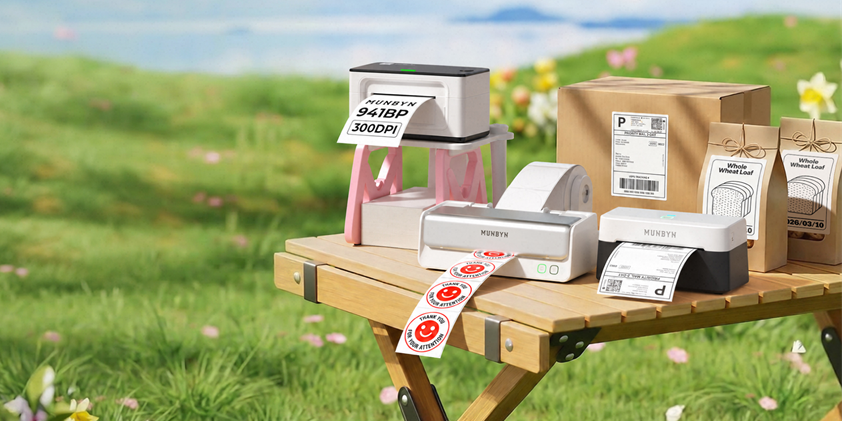
MUNBYN's RW941BP 300 DPI Bluetooth Thermal Label Printer is designed for users who need higher-resolution label output. It supports Bluetooth and USB connections and can print from phones, tablets, Windows PCs, and Macs. MUNBYN also lists compatibility with major shipping platforms and label widths from 1.57 to 4.3 inches.
What Can You Print With a Thermal Label Printer?
Thermal label printers are used across a wide range of business workflows, but most applications share one requirement: clear, consistent, machine-readable labels.
Shipping Labels
Shipping is one of the most common applications. Ecommerce sellers can print carrier labels directly from platforms used to manage orders and shipments. For example, if you sell products through eBay, you can generate and print shipping labels as part of your fulfillment workflow.
Etsy Shipping Labels
Etsy sellers can also use thermal label printers to produce shipping labels without printing onto standard letter-size paper and manually attaching the label to a package.
Product and Inventory Labels
Thermal printers can also produce SKU labels, barcode labels, shelf labels, product identification labels, and inventory tags. For businesses with frequently changing inventory, the ability to create labels on demand can make product organization more efficient.
Retail and Organization Labels
Thermal label printers are also useful for price labels, storage labels, asset identification, return labels, folders, and other organizational tasks. The exact application depends on the label size, material, printer resolution, and software being used.
What Features Should You Look for in a Thermal Label Printer?
The best thermal label printer depends on your workflow rather than a single specification. Before purchasing, consider these factors.
1. Printing Resolution
Choose 203 DPI for many standard shipping and barcode applications. Consider 300 DPI if you need sharper small text, detailed graphics, or more precise barcode and QR-code output.
2. Connectivity
USB is useful for a dedicated desktop workstation, while Bluetooth allows you to print from compatible smartphones and tablets. For businesses that print from multiple devices, a printer supporting both USB and Bluetooth can provide greater flexibility.
3. Label Width Compatibility
Check the supported label width before buying. A printer designed primarily for 4 × 6-inch shipping labels may not be the right choice if you need very narrow product or barcode labels.
4. Printing Speed
If you print dozens or hundreds of labels each day, printing speed can directly affect your fulfillment workflow. However, speed should be evaluated together with resolution, reliability, label handling, and connectivity rather than considered independently.
5. Software and Platform Compatibility
A thermal printer should work with the platforms and software your business already uses. For ecommerce sellers, compatibility with platforms such as Shopify, Etsy, eBay, Amazon, UPS, USPS, and FedEx can simplify the process from order management to label printing.
6. Print Head Durability and Maintenance
The print head is one of the most important components of a thermal printer. For businesses with high printing volumes, consider the expected print-head life, maintenance requirements, and availability of replacement components.
203 DPI or 300 DPI: Which Should You Choose?

The answer depends on your labels.
Choose 203 DPI if:
- You mainly print standard 4 × 6 shipping labels.
- Your labels contain standard-sized text and barcodes.
- You want a practical solution for everyday shipping.
- You do not regularly print detailed graphics.
Consider 300 DPI if:
- You print small text.
- Your labels contain detailed logos or graphics.
- You need more precise output for dense barcodes or QR codes.
- Print clarity is a higher priority for your workflow.
For example, the MUNBYN RW941BP 300 DPI thermal label printer is positioned for users who want higher-resolution output while retaining Bluetooth and USB connectivity.
For users who need dual-color label printing, the MUNBYN RealWriter 405B Bluetooth Thermal Label Printer offers black-and-red or black-and-blue thermal printing when used with compatible MUNBYN dual-color thermal labels. It prints at 203 DPI, supports Bluetooth and USB, and is designed for label widths from 40 to 108 mm.
Common Thermal Label Printer Problems
Although thermal printers are relatively simple compared with inkjet printers, printing problems can still occur. Common issues include:
- Blank labels
- Faded or incomplete printing
- Misaligned labels
- Paper feeding problems
- Incorrect label size detection
- Connection problems
- Printer not responding
If the printer feeds labels but they come out completely blank, check whether you are using compatible thermal media and whether the thermal side of the label is facing the print head. For more troubleshooting steps, see Why Is My Label Printer Printing Blank?.
Is a Thermal Label Printer Worth It for a Small Business?
For businesses that regularly print shipping, product, inventory, or barcode labels, a thermal label printer can simplify daily operations. The main advantage is not simply the absence of ink. It is the combination of purpose-built label printing, fast output, consistent formatting, low consumable requirements, and compatibility with common ecommerce and shipping workflows.
For a small ecommerce business, for example, the workflow can be as simple as: Receive order → Generate shipping label → Send label to printer → Print → Apply to package
This is considerably more streamlined than printing labels on standard office paper, cutting them out, and attaching them manually. The right printer still depends on label volume, resolution requirements, connectivity, label sizes, and the platforms you use.
FAQs About Thermal Label Printers
Do thermal label printers need ink?
Direct thermal label printers do not require ink cartridges or toner. They print by applying heat to specially coated thermal labels.
Do thermal label printers use toner?
No. Direct thermal label printers do not use toner. Thermal transfer printers are different because they use a ribbon to transfer ink onto the label.
Are thermal labels waterproof?
Not all thermal labels are waterproof. Their resistance to water, heat, sunlight, chemicals, and abrasion depends on the label material and coating. If your labels will be exposed to harsh conditions, choose media specifically designed for that environment.
Can a thermal label printer print color?
Most conventional direct thermal label printers produce monochrome output. However, specialized thermal media and printers can support more than one color. For example, MUNBYN's RW405B can produce black-and-red or black-and-blue output when used with compatible dual-color thermal labels.
Can I use a thermal label printer for shipping?
Yes. Shipping is one of the most common applications for thermal label printers. They are widely used to print carrier labels, including standard 4 × 6-inch shipping labels.
Is 300 DPI better than 203 DPI?
Not necessarily. 300 DPI provides higher resolution, but 203 DPI is sufficient for many standard shipping and barcode applications. If you need smaller text, detailed graphics, or higher-density codes, 300 DPI may be more appropriate.
Final Thoughts
A thermal label printer uses controlled heat to create printed content on specially designed label media. Unlike conventional inkjet and laser printers, direct thermal models do not require ink or toner, making them particularly practical for shipping, ecommerce, inventory, barcode, and product labeling.
When choosing a thermal label printer, focus on the requirements of your actual workflow. Consider DPI, connectivity, label width, printing speed, platform compatibility, and expected print volume rather than choosing based on a single specification.
For standard shipping and everyday business labels, a 203 DPI model can provide the resolution you need. If you regularly print small text, detailed graphics, or dense codes, a 300 DPI model such as the MUNBYN RW941BP may be a better fit. If dual-color label output is important for branding or product identification, the MUNBYN RealWriter 405B offers a specialized option. Use the code "MYSEO" at checkout to enjoy an extra 8% off now!
Partager:
Comment créer une étiquette d'expédition : guide complet pour les vendeurs canadiens
How to Print Shopify Shipping Labels: A Complete Guide